Baby tracker for iPhone and Apple Watch
Log the feed in two taps, even at 3 a.m.
Little Loop keeps feeds, diapers, sleep, pumping and medicine in one place, so “when was the last feed?” has an answer at a glance. Made for twins, too. $0.99 once, with no account, no subscription and no ads.
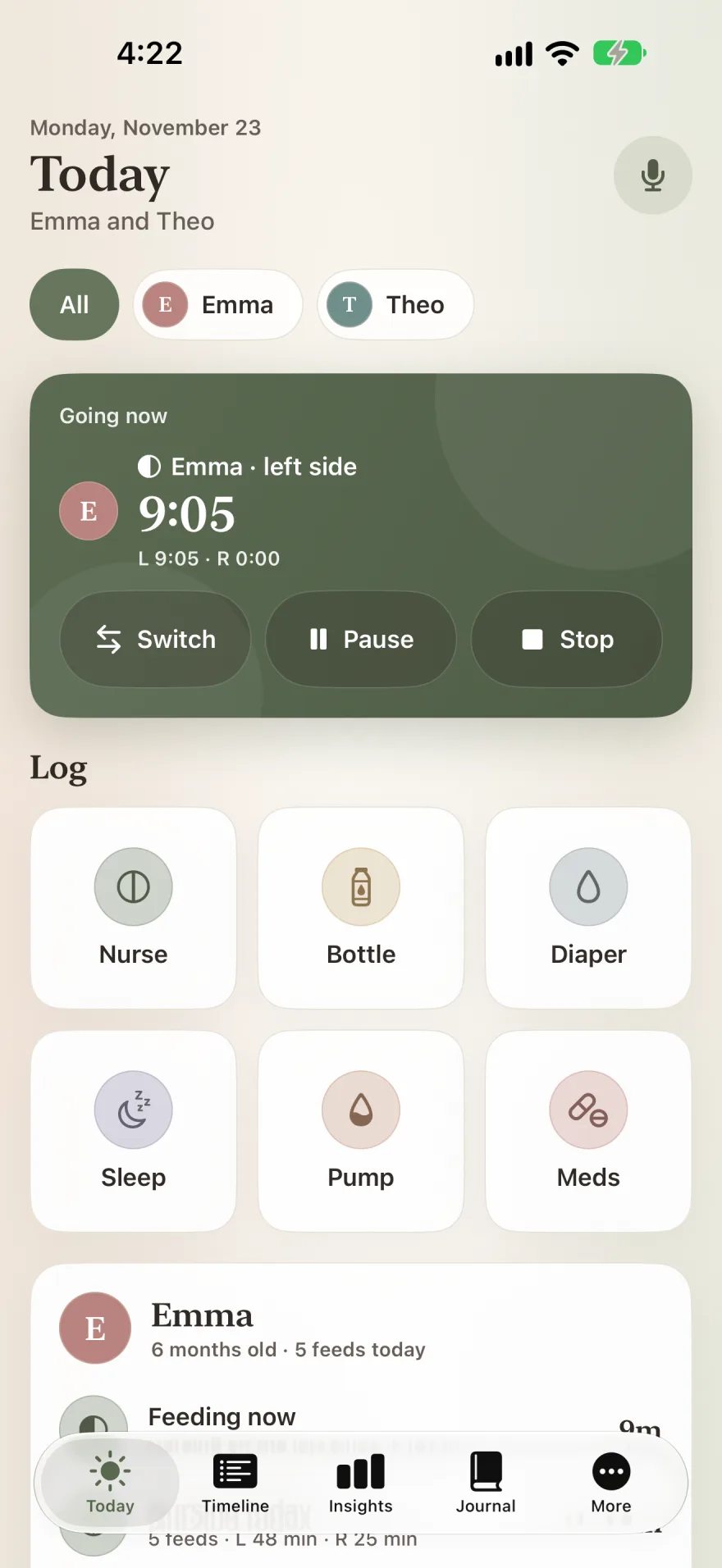
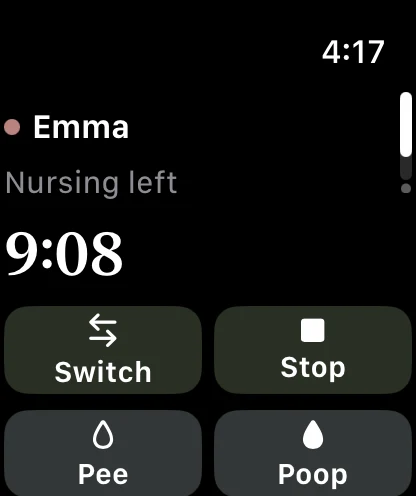
Tap a side, and the feed is logged
Open Nurse and tap L or R: the timer is already running. Tap the other side to switch, pause for a burp, and stop when the feed is done. Little Loop remembers the last side and offers the other one next time.
- Each side is timed on its own, with totals for the feed and the day
- The timer keeps going if you close the app, and shows on the Lock Screen and in the Dynamic Island
- Forgot to start it? Enter when it began and the minutes on each side
This one is live. Tap L or R.
Going now
Emma
Nursing on the left
Six logs, each a tap or two
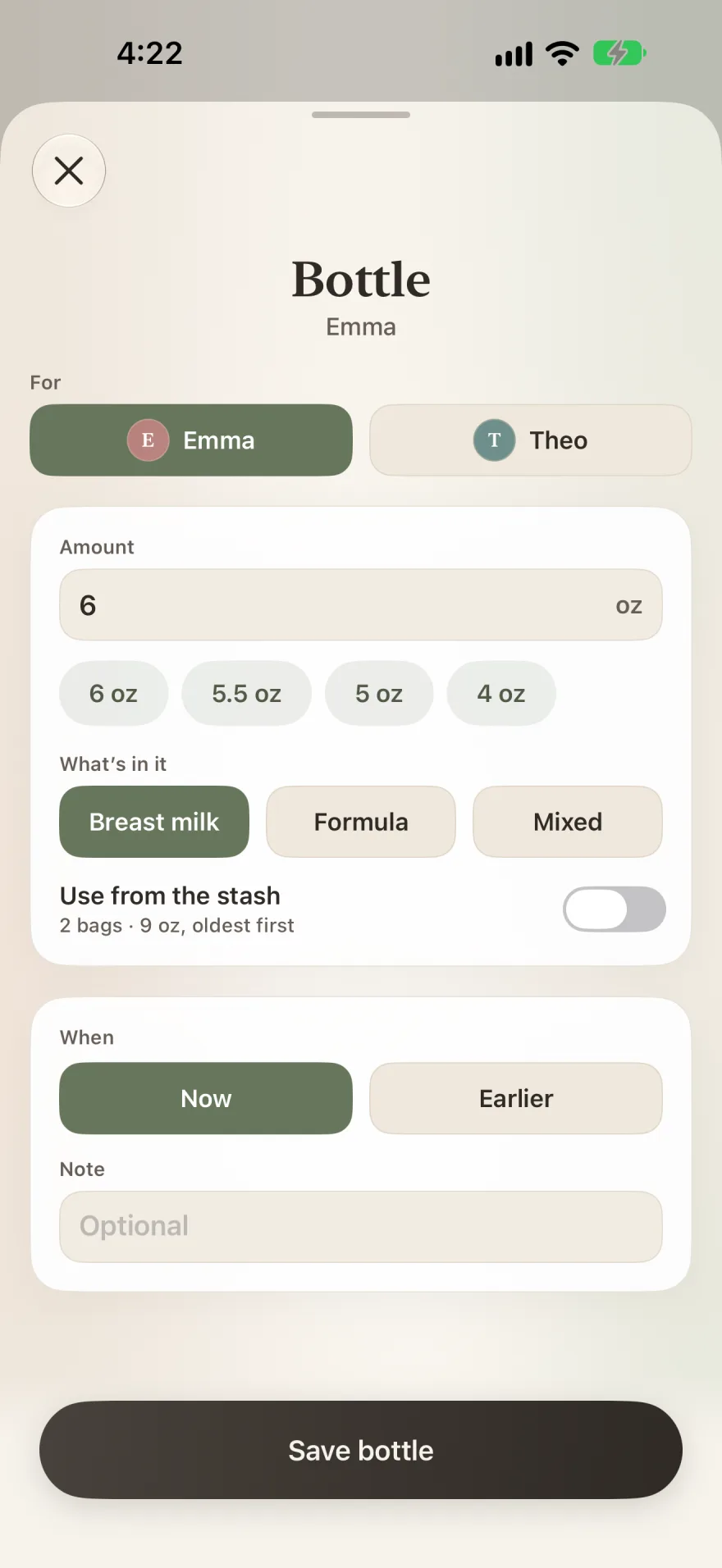
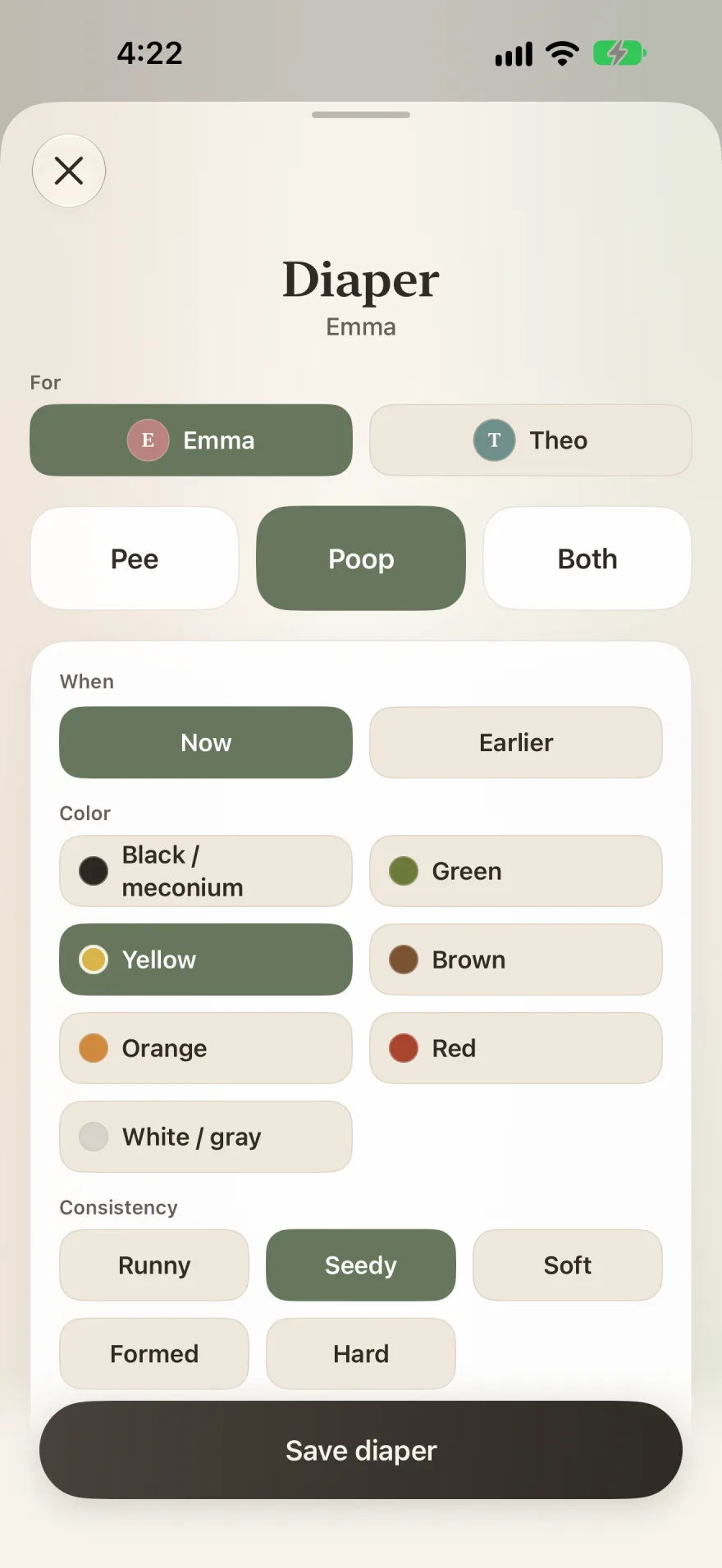
The buttons on Today open a sheet that’s already filled in: the time is now, the bottle matches the last one, and the side is the other one from last time. Save with one tap. The details are there when you want them.
-
Nursing
Left and right timers, pause for a burp, the last side remembered, and totals for each feed and each day.
-
Bottle
Ounces or milliliters; breast milk, formula or mixed; amounts learned from your recent bottles; pumped milk taken from the stash, oldest bag first.
-
Diaper
Pee, poop or both, with labeled color and consistency swatches, rash and cream notes, and the day’s wet and dirty counts for checkups.
-
Sleep
One tap to start and one to wake. Nap or night is worked out from the time, and you can note where they slept.
-
Pumping
Left, right or both, with amounts per side, logged for you rather than a baby. Add the milk to the fridge or freezer stash as you save.
-
Medicine
Save each medicine once with the dose and the time between doses you were given. Tap Give a dose, see when the next one is allowed, and get a heads-up if it’s too early. Little Loop never suggests a dose.
Log it without opening the app
The Lock Screen, Control Center, your watch and Siri all write to the same log, so the phone can stay face down.
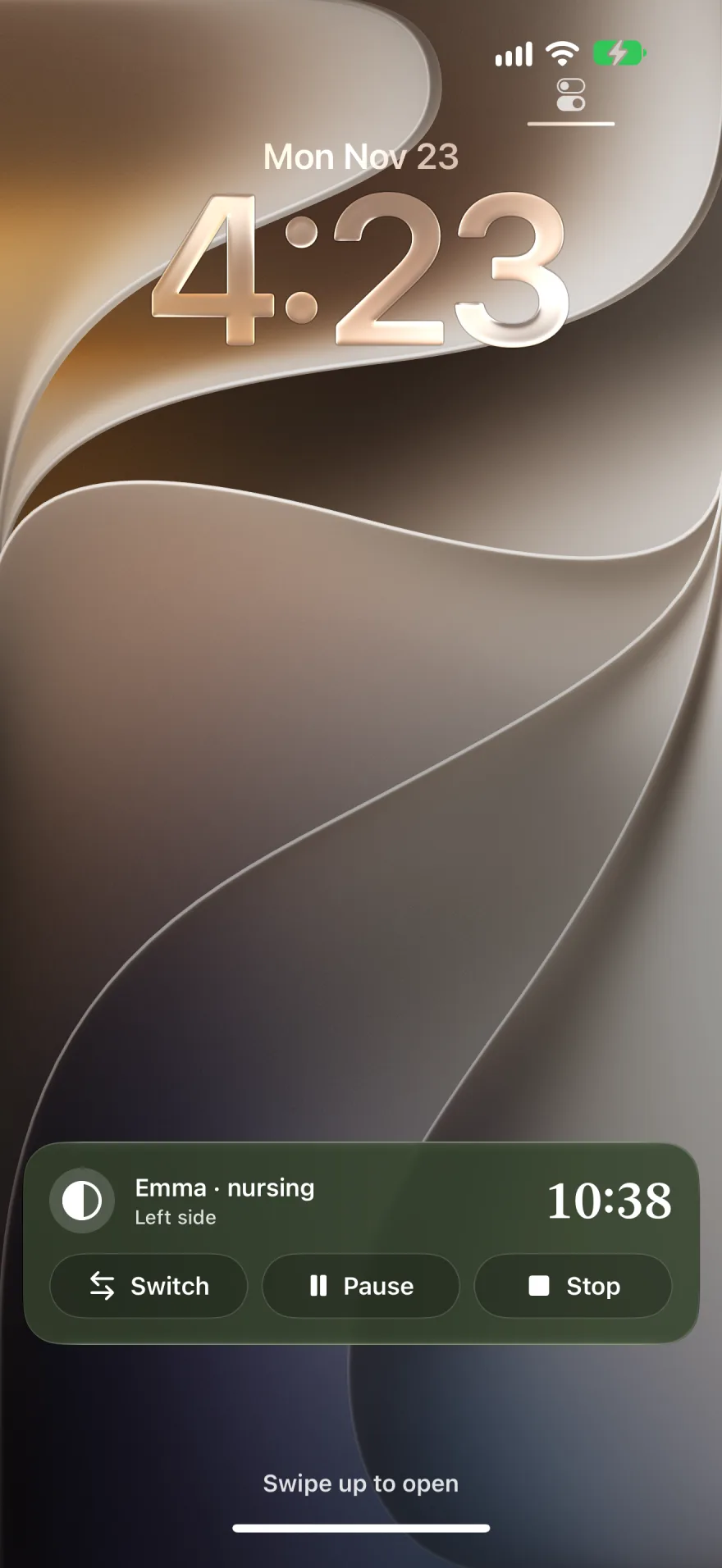
On the Lock Screen
A running feed, sleep or pumping timer stays on the Lock Screen and in the Dynamic Island, with buttons to switch sides or stop.
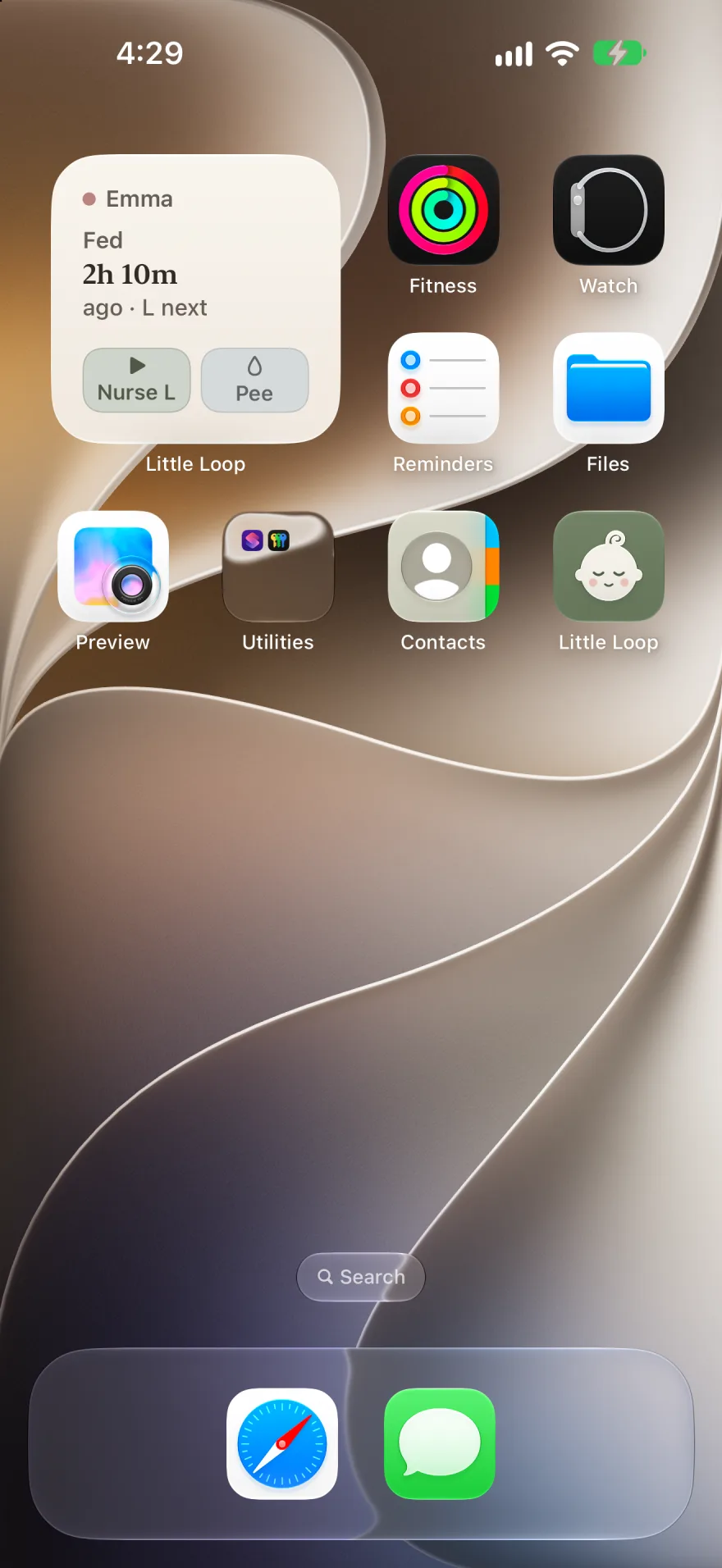
Widgets and Control Center
The Since last widget shows the time since the last feed, diaper and sleep, with buttons that log in one tap. Control Center starts a feed or a sleep.
On your wrist
Start and stop feeds, sleep and pumping, log a diaper or a bottle, and keep the last feed on your watch face.
Or just say it
Ask Siri, or tap the microphone in the app. Speech is turned into text on your iPhone, and you see what Little Loop understood before anything is saved.
- “Log a bottle for Emma in Little Loop”
- “Start the left side in Little Loop”
- “Log a poop diaper in Little Loop”
- “Theo is asleep in Little Loop”
Made for 3 a.m.
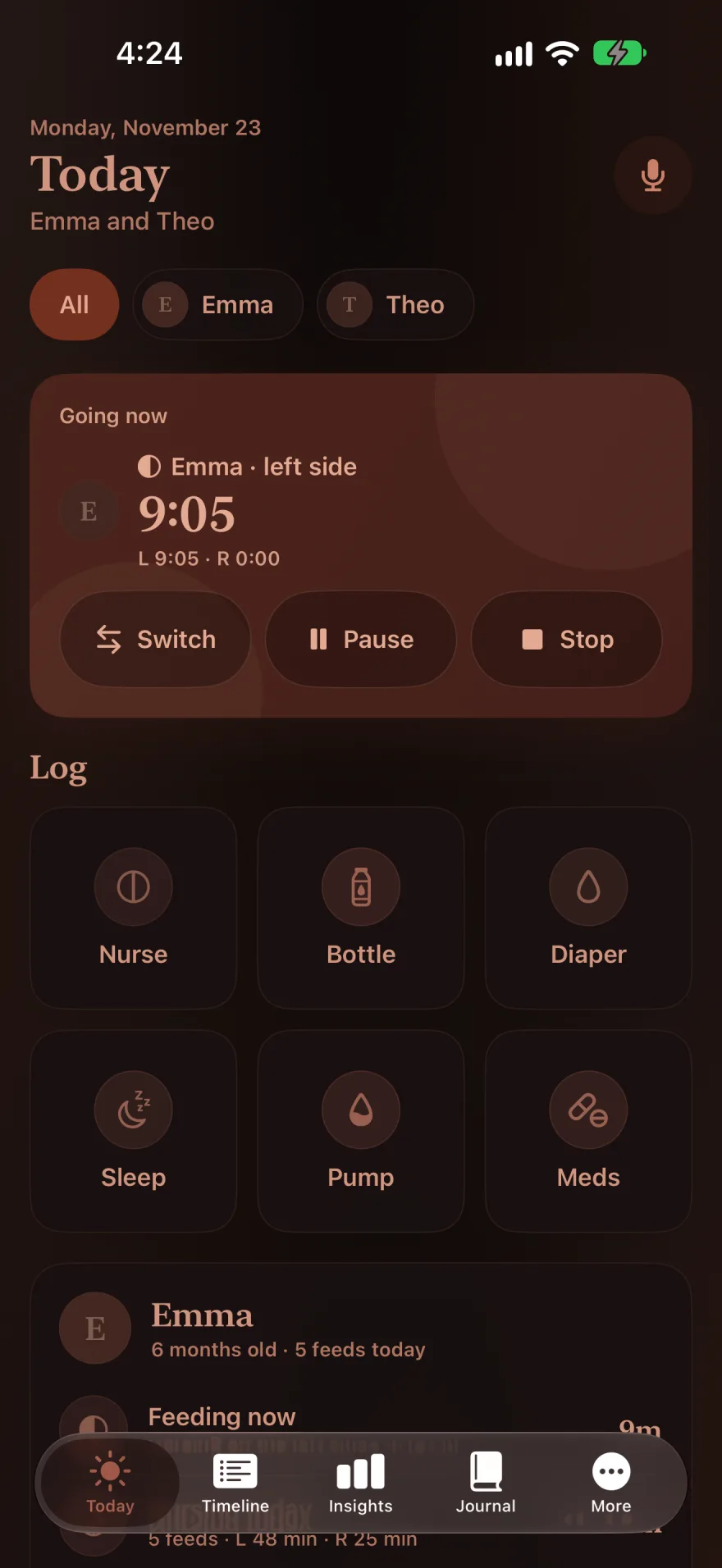
During the night hours you choose, Little Loop turns dim and red, so checking the last feed doesn’t light up the room.
- Switches on and off by itself at the hours you set, or stays on, or off
- Main buttons at least 60 points tall, within reach of one thumb
- Every save ends with a soft haptic tap instead of a bright screen
- Time since the last feed, diaper and sleep, readable at a glance
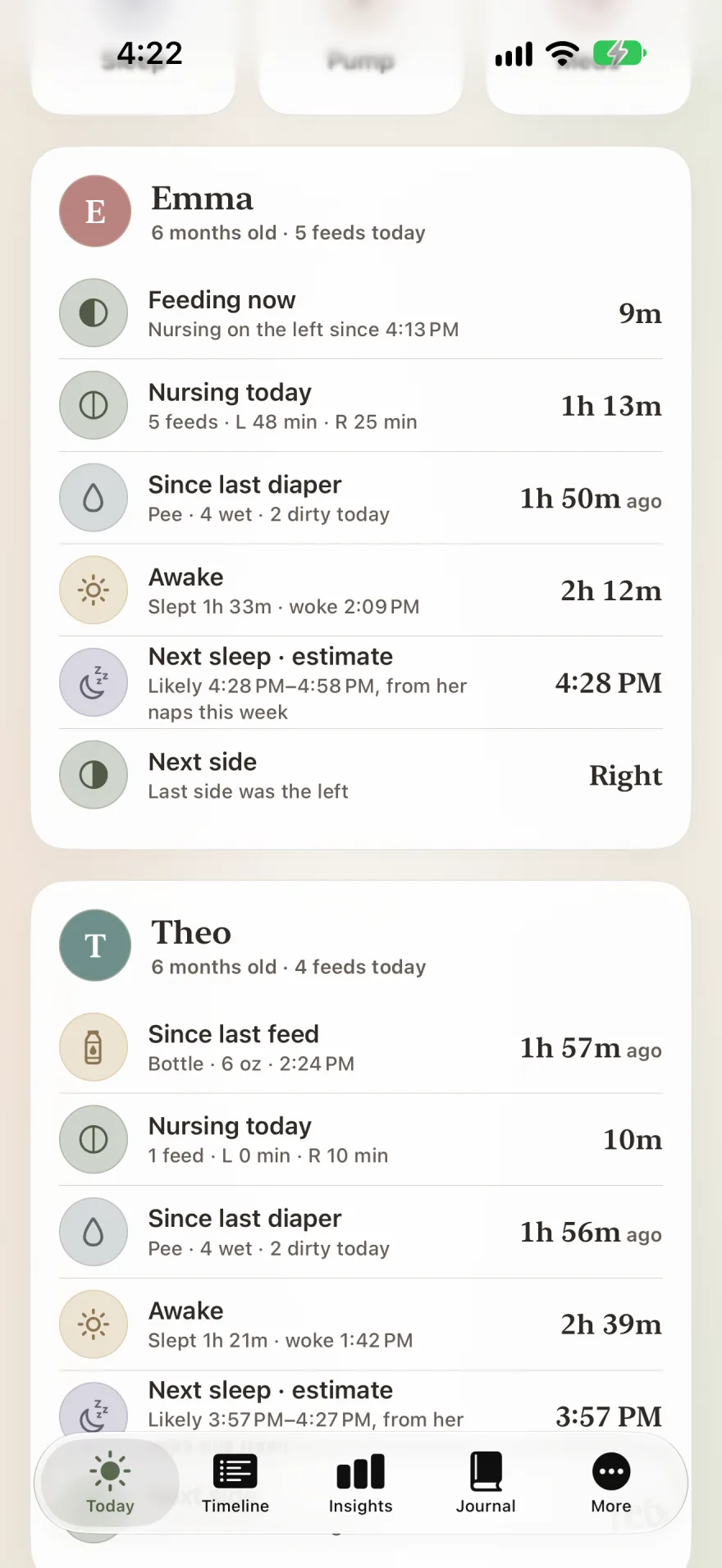
Twins? Log once for both
Add every baby, then switch between them at the top of any screen or see them side by side under All.
- Log for both: one tap records the diaper change or the bottle for each baby
- Tandem nursing, one baby on each side, timed together
- Timers running for more than one baby at once
- Each baby keeps a color across the timeline, widgets and charts
And for the months after the first weeks
Charts and a daily summary, a milk stash, first foods, and the milestones you’ll want to remember.
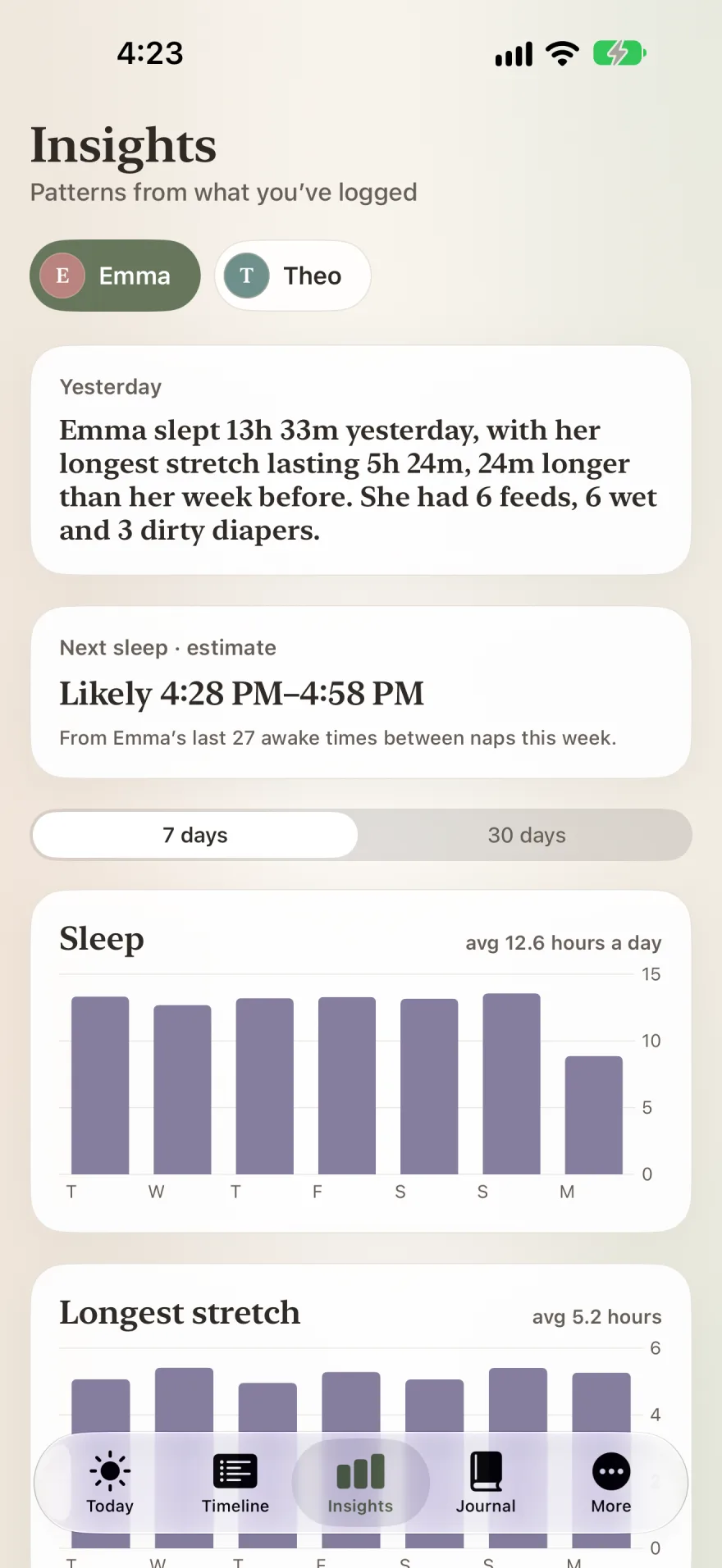
Insights
Feeds, sleep and diapers over 7 or 30 days, a plain summary of each day, and when the next nap is likely, always labeled an estimate.
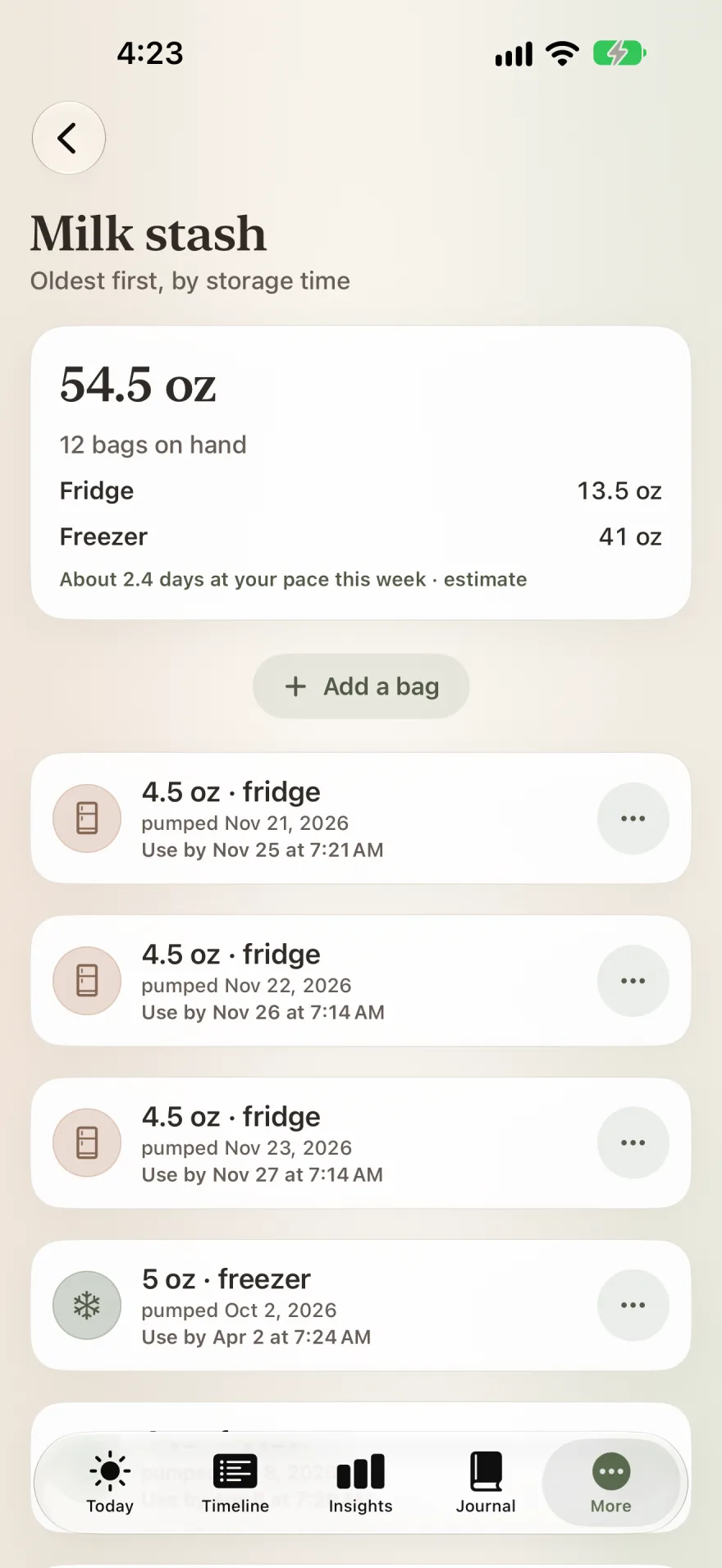
Milk stash
Bags in the fridge and freezer with the date each was pumped, oldest first, and a reminder before one is past the CDC’s storage times.
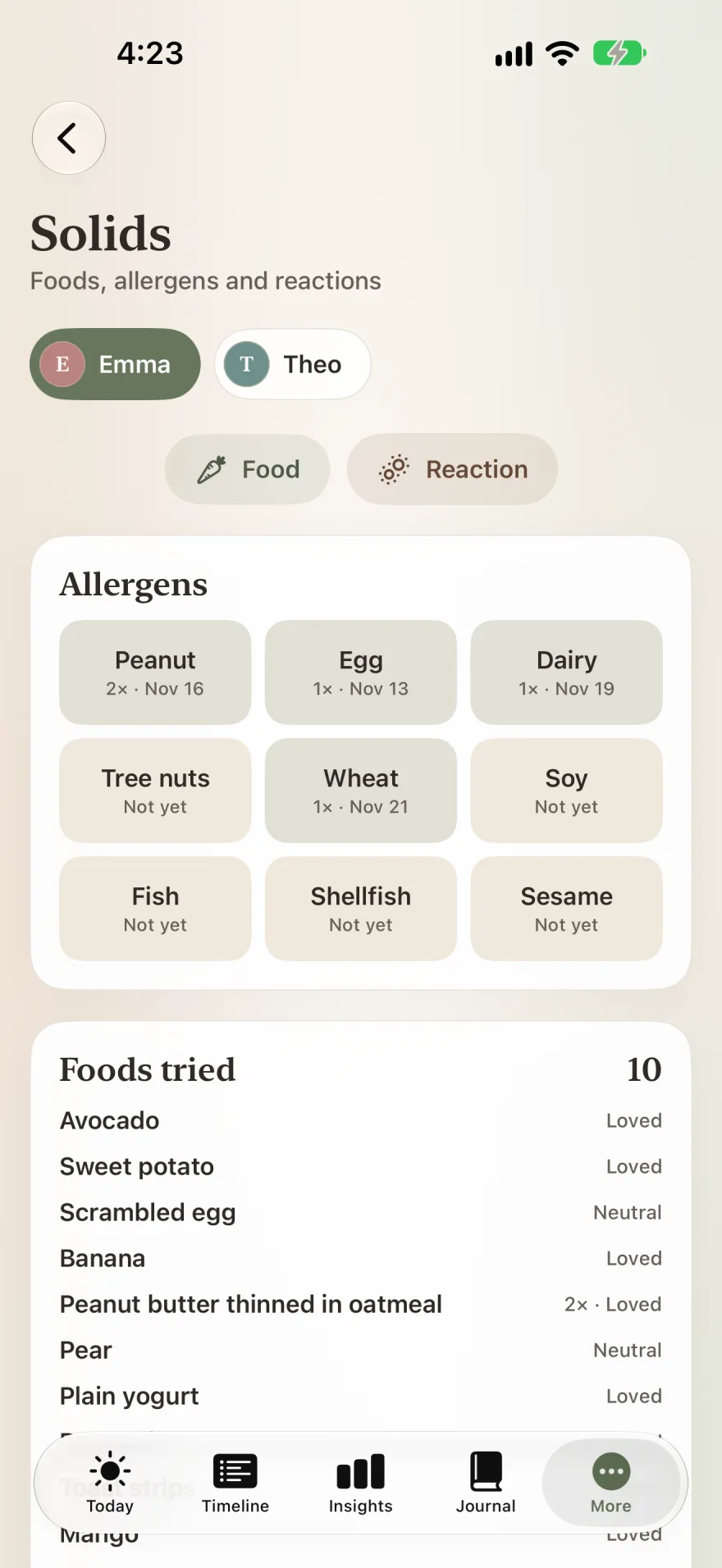
Solids and allergens
Foods tried and how they went, the nine common allergens with each exposure, and any reaction, with a photo if you take one.
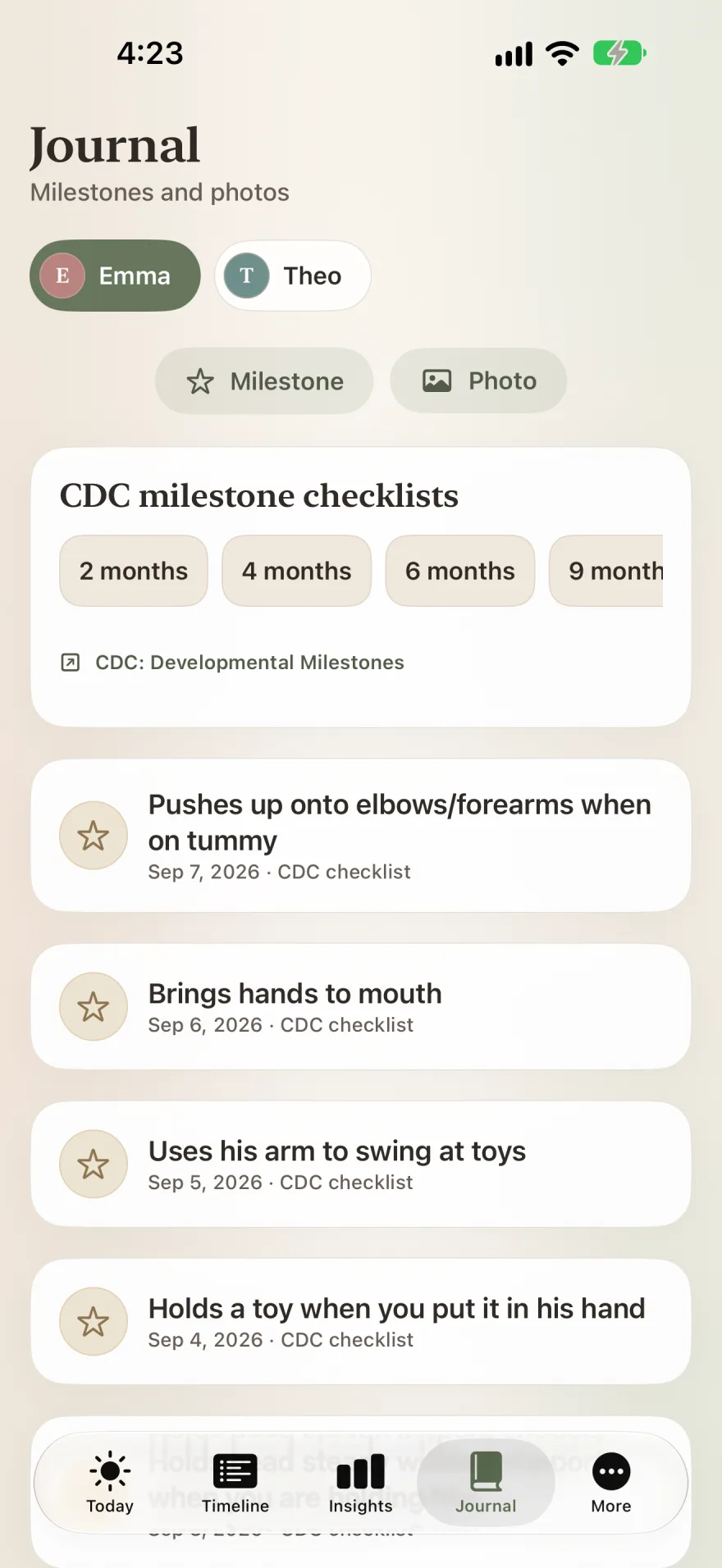
Milestones and photos
The CDC milestone checklists by age, firsts of your own, and photos, in one timeline for each baby.
Little Loop records; it doesn’t diagnose or suggest doses. Every guideline it shows links to where it came from: the CDC, the American Academy of Pediatrics’ HealthyChildren.org, the American Academy of Sleep Medicine and the Canadian Paediatric Society.
Your logs stay yours
Feeds, diapers and nights are family business. Little Loop has no account to make, and nothing you log comes to us.
-
No account, no ads, no analytics
There’s no sign-in, and the app contains no analytics, advertising or crash-reporting code.
-
Your own private iCloud
Your iPhone and Apple Watch share your logs through your own private iCloud, which we can’t read.
-
Voice stays on your iPhone
Speech is turned into text on your iPhone, and nothing is saved until you confirm the entry.
-
Only the photos you pick
Journal photos come through Apple’s photo picker, so the app sees only the ones you choose.
-
Delete everything
One button in Settings deletes every baby, log and medicine on this iPhone, your other devices and in iCloud.
App Store privacy label
Data Not CollectedThe developer doesn’t collect any data from this app.
Read the privacy policy
$0.99, once
No subscription, no in-app purchases and no ads. Every feature, for every baby you add.
Download on the App StoreFor iPhone with iOS 26 or later. The Apple Watch app needs watchOS 26 or later. $0.99 is the US price; it may differ in other countries.
Good to know
Is there a subscription?
No. Little Loop is a one-time purchase, with no subscription, no in-app purchases and no ads. Every feature is included.
Do I need an account?
No. There is no account or sign-in. Your logs live on your iPhone and Apple Watch and, if you use iCloud, in your own private iCloud.
Does it work with Apple Watch?
Yes. The Watch app starts and stops feeds, sleep and pumping, logs diapers and bottles, and can show the time since the last feed on your watch face. It needs watchOS 26 or later.
Can I track twins, or more?
Yes. Add every baby, switch between them at the top of any screen, log one diaper change or bottle for both at once, and time tandem feeds with one baby on each side.
Can my partner log too?
Little Loop is made for one person. Your iPhone and Apple Watch share your logs through your iCloud, but the logs can’t be shared with someone else’s Apple Account.
Which iPhones does it run on?
Any iPhone with iOS 26 or later. Voice logging needs an iPhone that can turn speech into text on the device. On iPhones with Apple Intelligence it uses Apple’s on-device model to understand what you said, and a built-in parser on the rest.
Ounces or milliliters?
Either. Choose one when you set up and switch any time in Settings. Amounts convert.
Can I export my logs?
Not in this version. Your logs stay in the app and in your own iCloud.
Is it medical advice?
No. Little Loop is for tracking only, not medical advice. Contact your pediatrician with any concerns. Estimates, like the next nap, are labeled as estimates, and every guideline it shows links to its source.
Little Loop is a log, not a medical device. It doesn’t diagnose, interpret symptoms or suggest doses. Contact your pediatrician with any concerns, and call emergency services in an emergency.